



For iPhone Duo, iPhone and iPad
One task.
One timer.
Plan the day in three lists. Then pick the task you're on and start its timer.
Planning and focus are free. Pro is a one-time purchase. No account, no tracking.

-
iPhone Duo
Made for the Duo first.
Every screen is laid out around the hinge, so DoOne fits the way you hold it: open, set on a table or closed.
-
Open
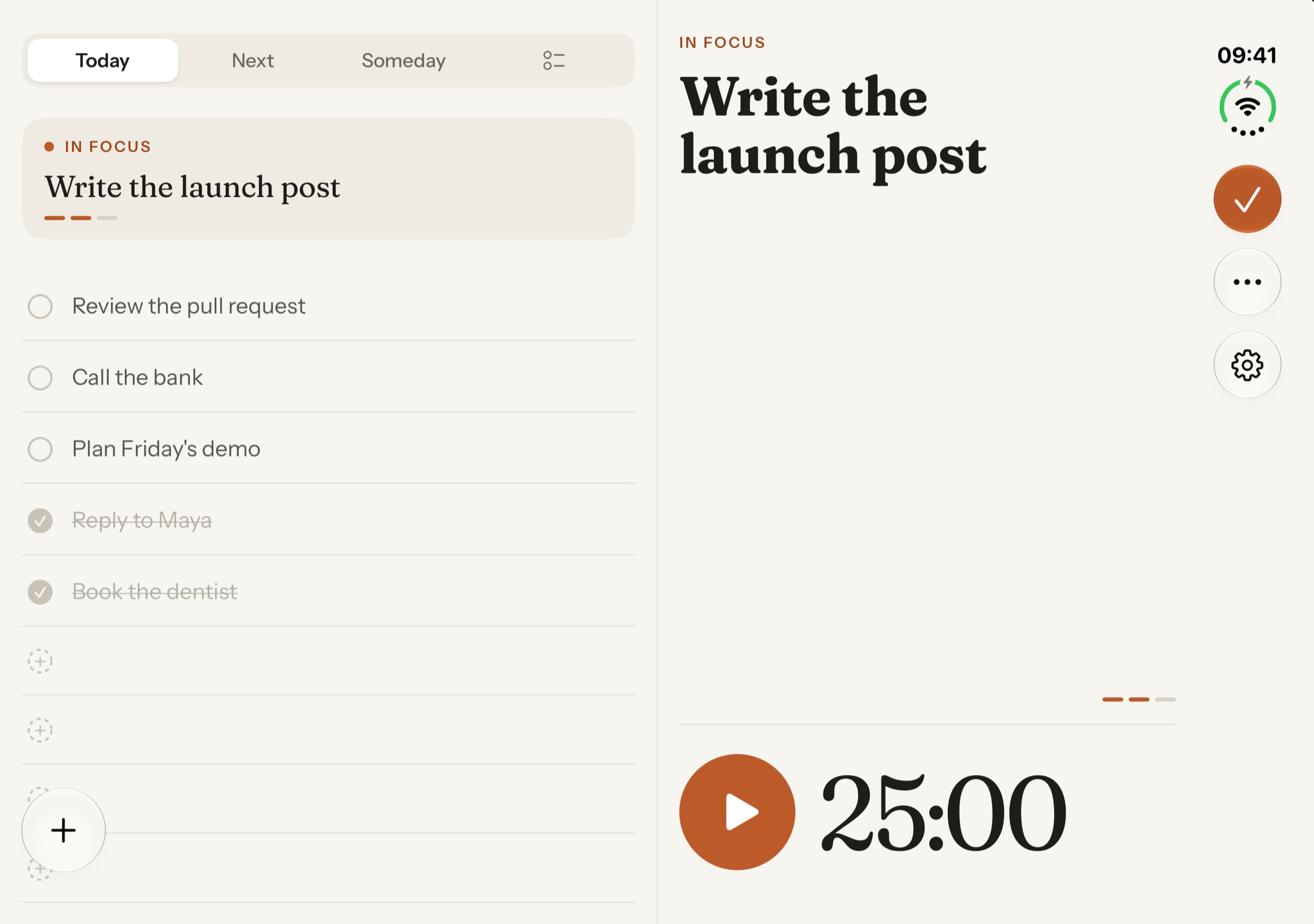
Lists on the left. Focus on the right.
Plan on the left while the timer keeps running on the right.
-
On a table
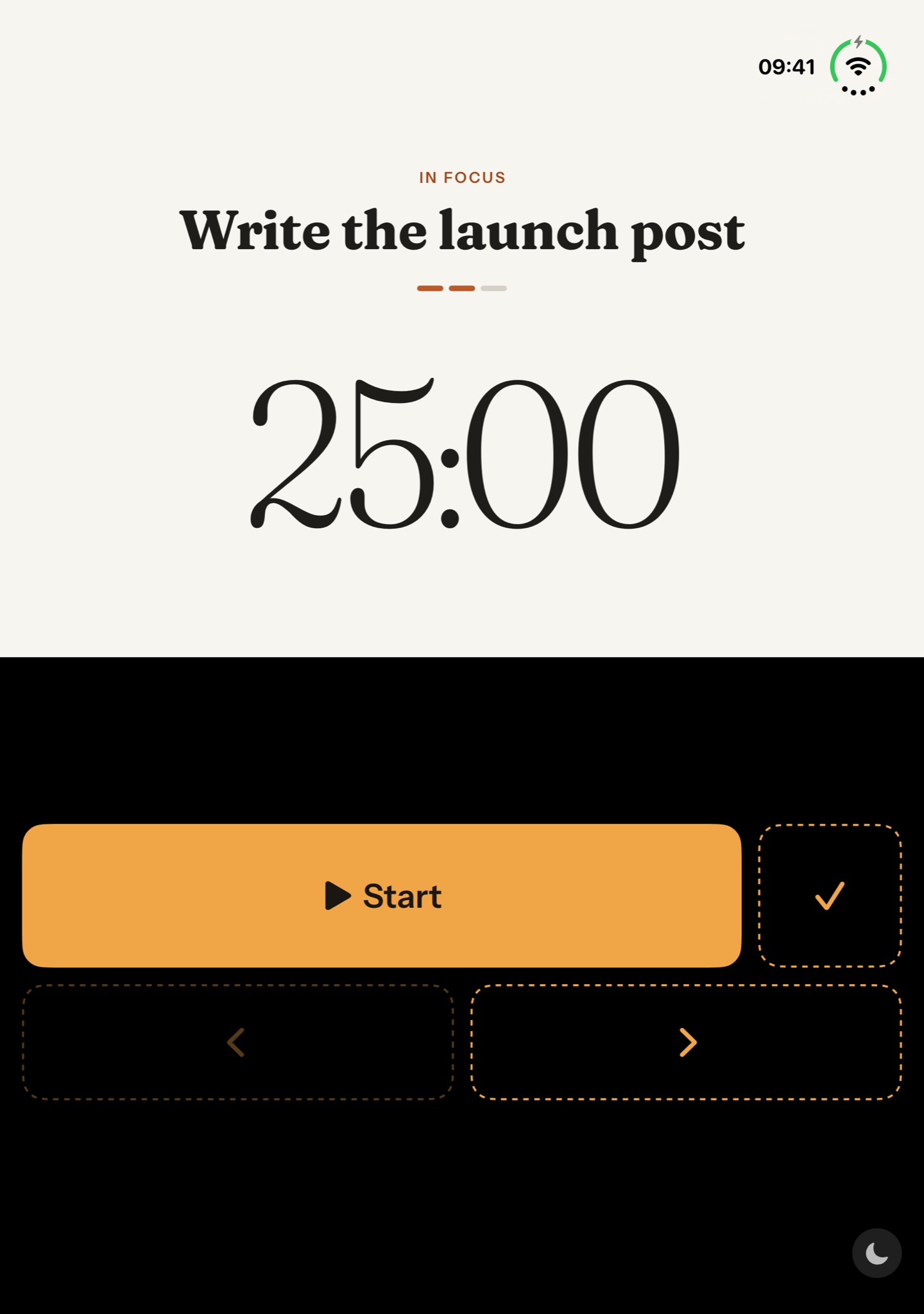
Set it down and work.
Fold it like a small laptop. The timer stands up where you can see it, and the controls lie flat under your hand.
-
Closed
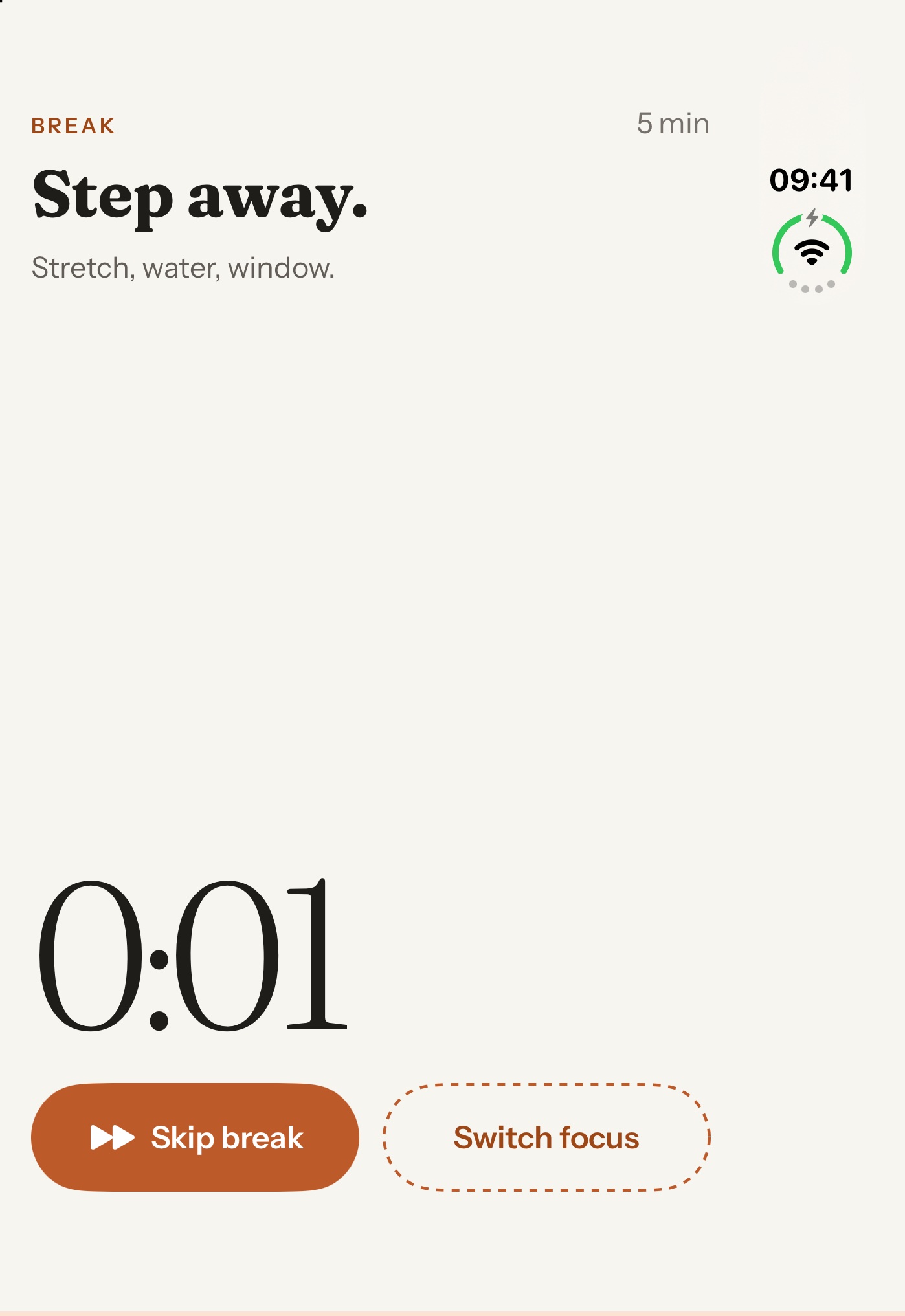
Fold it shut and step away.
The outer display counts the break down while you stretch. Skip it or switch focus with one tap.

Also on iPhone and iPad.
Your lists and timer, laid out for each screen. With Pro, iCloud syncs them across your devices.

How it works
-
Plan
Sort tasks into Today, Next and Someday. Plan today and park the rest.
-
Focus
Pick the task you're on and start its timer. The rest stay in their lists until you're done.
-
Break
Take the break when the timer ends. Each task keeps a log of its sessions.
The timer also runs in a Live Activity, in widgets and in Control Center.
Privacy
Private by design.
No account, no ads, no tracking. Your tasks stay on your device, or in your own iCloud if you turn on sync.
Read the Privacy Policy- No account. Open it and start. There is nothing to sign up for.
- Nothing collected. DoOne has no servers and no analytics. We never see your tasks.
- On device. Brain dump turns speech into tasks on your iPhone. Audio is never saved.
- Your call. Integrations send to services like GitHub, Linear or Todoist only when you connect one.
DoOne Pro
Pro is a one-time purchase.
There are no ads, and buying Pro supports the indie developer who makes DoOne.
- iCloud syncYour tasks and history on all your devices
- RemindersBring your Apple Reminders into your lists
- IntegrationsClose GitHub, GitLab and Linear issues or Todoist tasks from your tasks
- Focus soundsNature sounds, lo-fi or steady noise while you focus
- Brain dump*Speak your thoughts and get tasks
- …and more
* Brain dump needs a device that has Apple Intelligence turned on.
Get DoOne.
Coming soon to the App Store.